

workflow, then connect a runner so Duraton can drive it.
The type parameter (
<TicketData>) types ctx.event.data, so your event payload is checked. The full
handler context - ctx.event, ctx.step, ctx.log, ctx.runId, ctx.attempt, and the rest - is
documented in SDK: Steps. workflow also takes flow-control options
(concurrency, throttle, rateLimit, debounce, batch, priority, singleton, idempotency)
and AI spend options (cap, tokenThrottle); see
Defining workflows.
Apps and runners
An app is a named set of workflows that run together in one process. A runner is a process hosting one app.connect() dials Duraton over an outbound WebSocket, registers the app’s workflows,
and receives invokes on that socket - so the runner needs no inbound URL and no separate registration
call.
Triggering a run
Send an event whosename matches a workflow. Duraton creates a run and drives it to completion.
- TypeScript
- REST API
GET /runs/{id} and its steps
with GET /runs/{id}/steps.
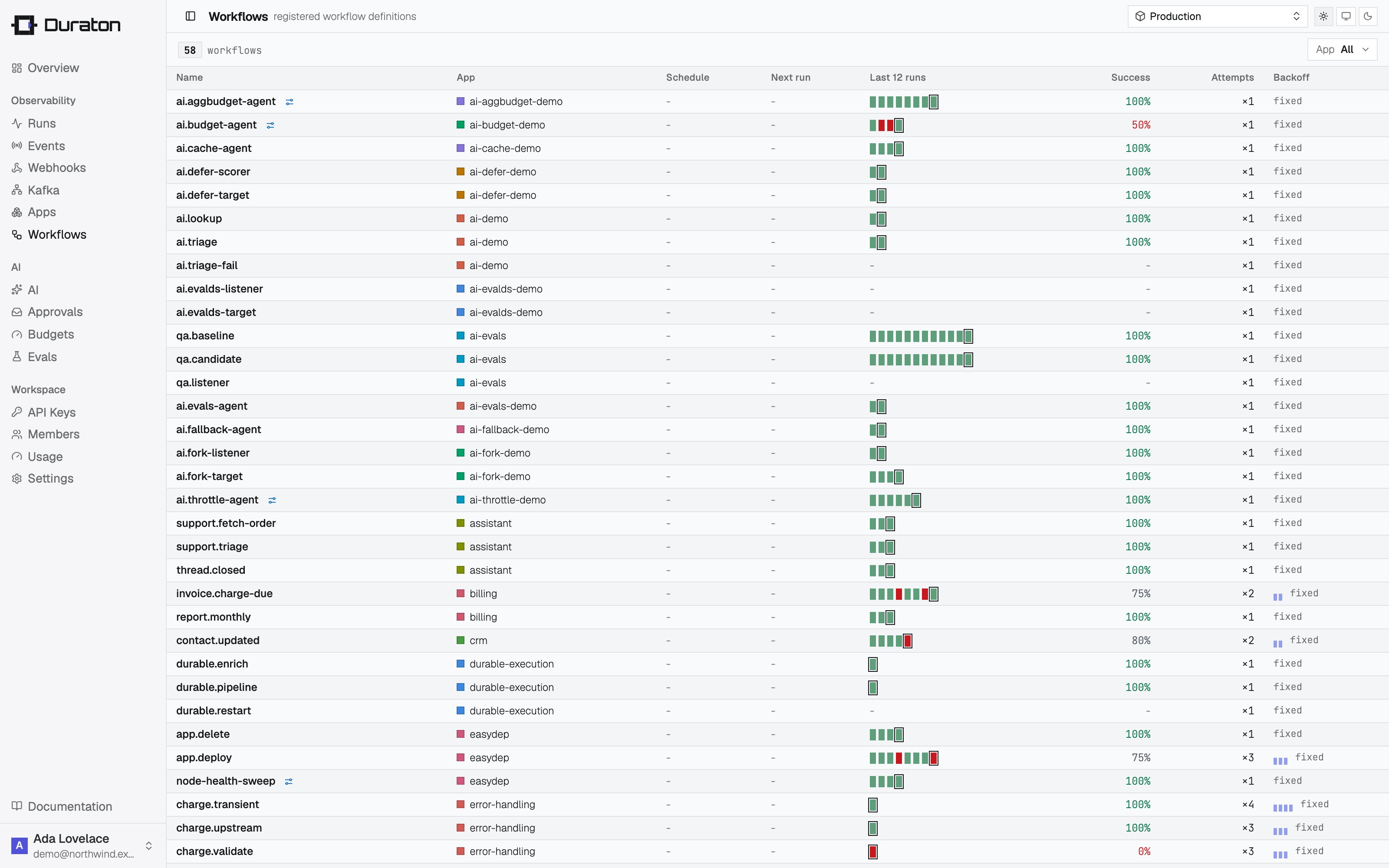
The console lists every workflow an app has registered; select one to open its detail drawer, with the
definition, live stats, charts, and that workflow’s runs.
The event log
Duraton keeps a durable event log: every event it ingests is recorded together with what it triggered. Triggers are the other half - what starts a workflow.What’s recorded
An event reaches the log two ways: an externalPOST /events (source: "api") or a workflow’s
step.emit (source: "emit"). Each record carries the event (name, app, data), when it arrived,
and the outcome - the waiters it resumed and the per-workflow fan-out:
triggered - so a fire-and-forget event
that hit no workflow is visible, not lost. A cron firing is not an event: it starts a run directly,
so it shows up in runs, not here.
Reading it
GET /events is the complete record.
Recording is best-effort on the ingest path: if the log write fails, event delivery still succeeds
(the runs are already durable). The log is not auto-pruned, and listings return a bounded page.
See the events example running end to end in Examples.