

Switching project
The console acts on one active project at a time. Switch it from the workspace menu; every view - runs, events, keys, usage - follows the switch.Members and roles
Roles live at the workspace level, so a member has one role across it:
A member’s write access is scoped by a project list: leave it empty for workspace-wide write, or name
projects to limit write to those.
Usage and limits
Duraton meters what your workspace runs and pools it across the workspace: usage is tallied per project, but every project draws from one shared plan allowance. Two things are counted:- Steps - each durable step a run executes. This is the figure your plan is measured against.
- Events - each event ingested through
POST /events. Counted for context only; it never affects your allowance.
Free plan
Steps reset at the start of each calendar month; a paused workspace resumes on its own once the new
period begins (or once a higher plan raises the ceiling).
Reading your usage
The console’s usage view shows the current period’s steps and events, a per-project breakdown, and a chart over time, with the pooled total measured against your plan: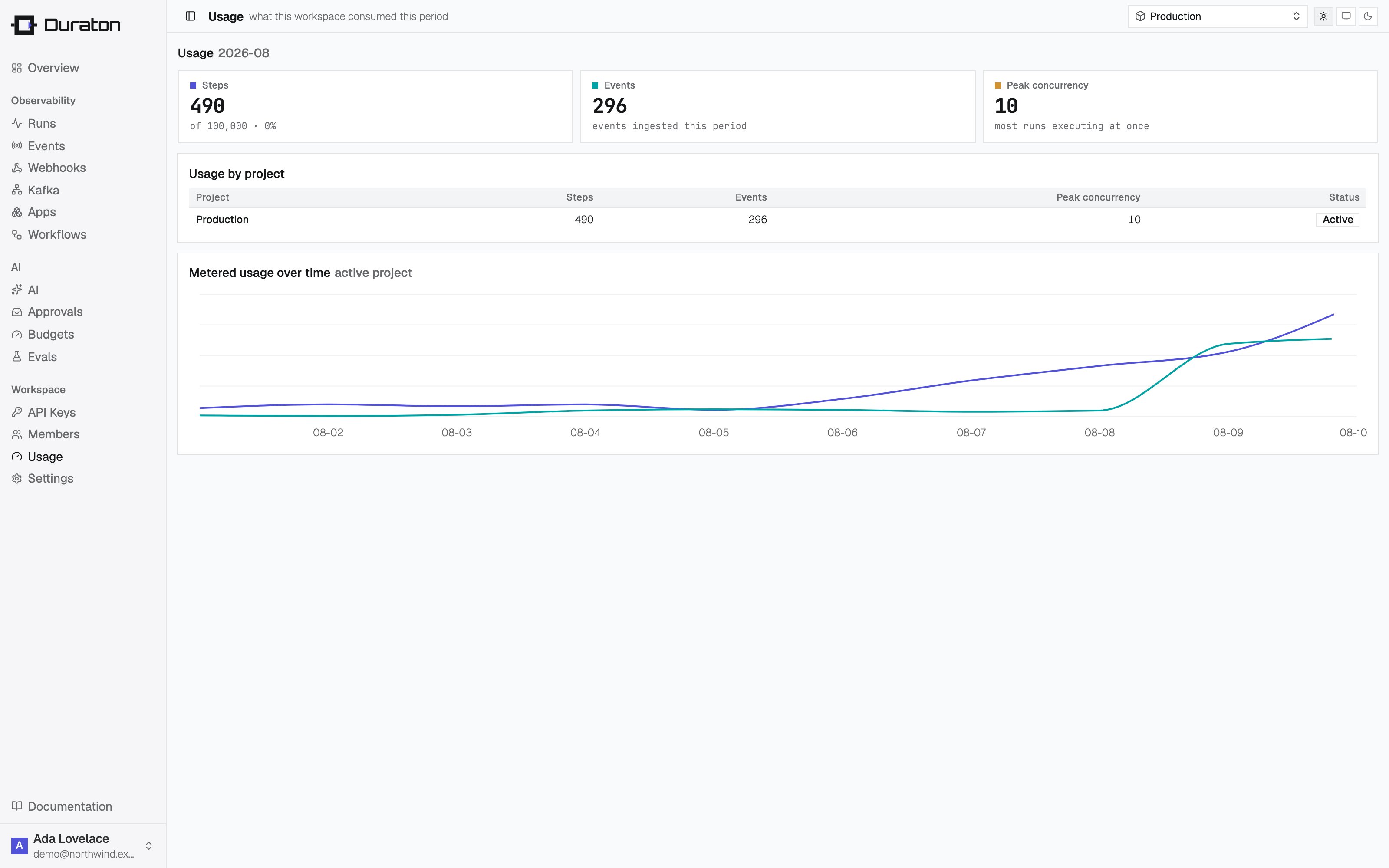
When the limit is reached
New runs are refused with403 Forbidden until usage falls back under
the plan or the plan is raised. In-flight waiters still wake; only new runs are refused. A
triggered event is still accepted (202) and comes back with suspended: true and no
runId: