Events API
Trigger workflows by sending an event, and read the durable event log.
An event is how you start a workflow from outside Duraton. POST /events ingests one event; Duraton matches it against every workflow trigger in the project and
returns what it started. Every ingested event is also kept in a durable
event log you can read and tail.
Send an event
import { createClient } from "@duraton/sdk/client";

const duraton = createClient({ url: process.env.DURATON_URL! });
const res = await duraton.events.send({
  name: "ticket.created",
  app: "support-app",
  data: { ticketId: "T-421" },
});
from duraton.client import AsyncDuratonClient, SendEventInput
async with AsyncDuratonClient() as dx:
res = await dx.events.send(SendEventInput(name="ticket.created", app="support-app", data={"ticketId": "T-421"}))
res.run_idimport (
"context"
"encoding/json"
"duraton.dev/sdk-go/client"
)
dx := client.New(client.Options{})
res, err := dx.Events.Send(context.Background(), client.SendEventInput{
Name: "ticket.created", App: "support-app", Data: json.RawMessage(`{"ticketId":"T-421"}`),
})
res.RunIDcurl -X POST $DURATON_URL/events \
-d '{"name":"ticket.created","app":"support-app","data":{"ticketId":"T-421"}}'Request body
| Field | Type | Meaning |
|---|---|---|
name | string, required | The event name workflows trigger on. Non-blank, up to 256 characters. |
app | string | Scope the event to one app's triggers. Omit to broadcast project-wide. |
data | any JSON | The event payload, delivered as ctx.event.data. Any valid JSON - object, array, or scalar. |
dedupeId | string | Drop a repeat of the same id (per app) within 24 hours, before any fan-out. |
runner | string | Pin runs started by this event to a specific runner. |
targetApp | string | Route a cross-app trigger to a specific app. |
session | string | Thread the runs this event starts into one conversation, read back by GET /sessions. Omitted, each run is its own session. |
tags | object of string->string | Customer-defined key/value metadata attached to every run this event triggers, for filtering runs by your own dimensions (see Run tags). |
app, runner, targetApp, dedupeId, and session are each bounded at 256 characters; a longer
value, a blank name, or unparseable data returns 400. tags is bounded too: at most 20 tags per
run, each key up to 64 characters matching [A-Za-z0-9_.-] and each value up to 256 characters - an
over-limit tag returns 400.
tags on an event is sendable from the TypeScript, Python, and Go SDKs - each SendEventInput
carries a tags field - as well as over REST. The tags attach to every run the event triggers; filter
those runs back with tag.<key> (see Run tags).
Unsupported characters
An event must not carry a NUL character (\u0000). Duraton's durable event log has no
representation for it, so an event carrying one could never be stored. Duraton rejects it at ingest
with a 400 - before any workflow is matched or any run is started - rather than accepting the event
and failing later.
The check covers every text field (name, app, runner, dedupeId, targetApp, session) and
the whole data payload, at any depth: a NUL inside a nested string, an array element, or even a
JSON object key is rejected.
curl -X POST $DURATON_URL/events \
  -d '{"name":"ticket.created","app":"support-app","data":{"note":"bad\u0000byte"}}'
# 400
Only the escaped form \u0000 reaches this check - a raw NUL byte in the request body is already
invalid JSON and is rejected as a malformed body. Either way the event is refused with a 400, and
nothing is recorded.
Response
202 Accepted. The body reports what the event did:
{
  "runId": "01HXYZ...",
  "woke": 0,
  "triggered": [
    { "workflow": "fulfillment", "runId": "01H..." },
    { "workflow": "audit", "runId": "01H..." }
  ]
}| Field | Meaning |
|---|---|
runId | The run started, when exactly one workflow matched. |
woke | How many waiting runs this event resumed (via step.waitForEvent). |
triggered | One entry per matched workflow: its workflow name, the app the run landed in (set even for cross-app fan-out), and the runId started. |
skipped / dropped / debounced / batched / deduped | Flow-control outcomes - set when the event was held back rather than run immediately (see flow control). |
suspended | true when the project is suspended: in-flight waiters were still woken, but no new run was started. |
An event that matches nothing still returns 202 with an empty triggered - it is recorded, not lost.
Each triggered entry's runId resolves to a run, and that run records the event back: its
eventId is this event's id (see runs). List every run one event fanned out
with GET /runs?eventId=<id>. Cron, child (step.runWorkflow), and on-failure runs carry no
eventId - they have no triggering event.
Two kinds of deduplication
Two independent mechanisms can each report deduped: true, and they mean different things. Knowing which
one fired matters, because one throws the event away and the other only suppresses a single run.
Event dedupeId | Workflow idempotency | |
|---|---|---|
| Set where | On the event (dedupeId on POST /events) | On the workflow definition (idempotency: { key, periodMs }) |
| Keyed by | The literal dedupeId string you send, scoped per app | A field path into the event data (e.g. key: "ticketId"), scoped per workflow |
| Window | Fixed 24 hours | The configured periodMs |
| What is dropped | The whole event, before any fan-out | One run of that one workflow |
| Waiters woken? | No - a duplicate is dropped before waitForEvent waiters are checked | Yes - waiters are woken before the per-workflow gate runs |
| Recorded in the event log? | No - a duplicate is never persisted | Yes - the event is recorded, only the run is suppressed |
Where deduped appears | At the top level ({ "deduped": true }, no runId, no triggered) | On that workflow's triggered[] entry (mirrored to the top level when it is the first match) |
In short: dedupeId is event-level and total - the exact same event is collapsed to a no-op, nothing
is recorded, and nothing is woken. It is the safety net for an at-least-once caller retrying POST /events.
idempotency is run-level and partial - the event still lands, still wakes waiters, and still runs
every other matching workflow; only a second run of the idempotent workflow for the same derived key is
suppressed within the window.
Because both surface deduped: true, tell them apart by the rest of the response: an event-level drop
returns no triggered array and no runId, whereas an idempotency drop still carries the event's
triggered fan-out with deduped set on the affected entry.
Reading the log
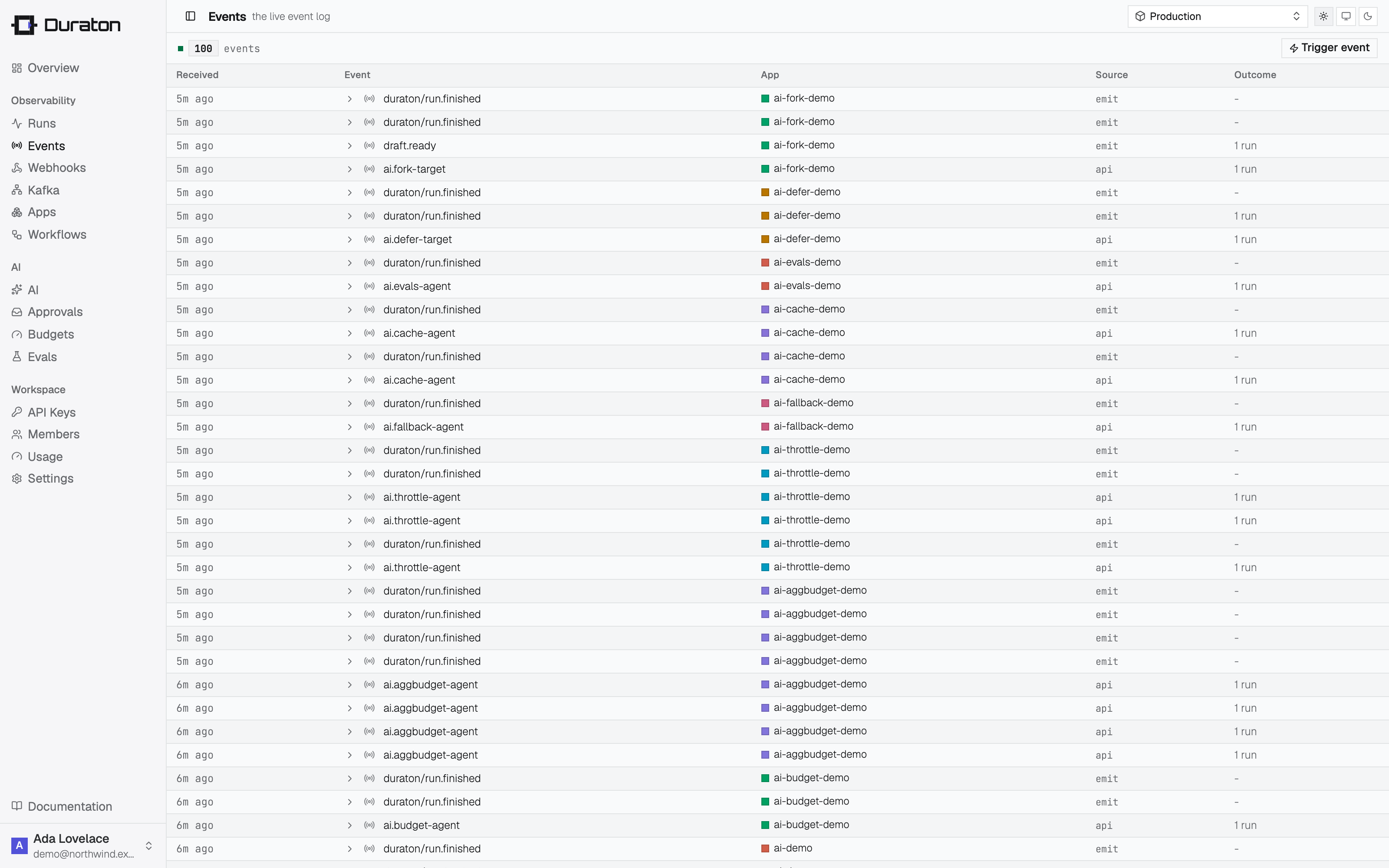
The log records every event with what it did, newest first.
curl "$DURATON_URL/events?app=support-app&name=ticket.created&limit=20"| Method + path | Returns |
|---|---|
GET /events | A page of event records. Filter with ?app= and ?name=; ?limit= sets the page size (100 default, 1000 max). |
GET /events/{id} | One event record. |
GET /events/stream | A live tail of incoming events (Server-Sent Events). |
Each record carries the event (name, app, data), its source (api for an external POST,
emit for a workflow's step.emit), when it arrived, and the triggered fan-out:
{
  "id": "9f2b...",
  "name": "ticket.created",
  "app": "support-app",
  "source": "api",
  "data": { "ticketId": "T-421" },
  "receivedAt": "2026-06-15T09:00:00Z",
  "woke": 0,
  "triggered": [{ "workflow": "fulfillment", "runId": "01H..." }]
}
The stream is a best-effort live view - a slow or reconnecting client can miss events. GET /events
is the complete record.