> ## Documentation Index
> Fetch the complete documentation index at: https://docs.duraton.ai/llms.txt
> Use this file to discover all available pages before exploring further.
# Quickstart
> Get your first durable run finishing in five steps: create a project, issue a key, write a workflow, connect a runner, and trigger it.
Five steps: create a project, issue a key, write a workflow, connect a runner, trigger it.
Duraton is in **beta**. Install from the `@next` tag: `@duraton/sdk@next`. A plain
`npm install @duraton/sdk` resolves to the `latest` tag, which currently lags behind and is missing
the recent features (run tags, `bulkCancel`, `watchFiltered`, `step.skip`, per-step retry, and more)
* with no error to tell you. Use `@next` until `latest` catches up.
## 1. Create your project
Sign up at [console.duraton.ai](https://console.duraton.ai). A workspace is created for you with a first
[project](/core/projects) inside it, and the **Overview** walks you through the
steps below. A project is the isolated slice - its own runs, events, keys, and runners; a workspace
holds many. You can add more projects - and invite members - later.
## 2. Issue an API key
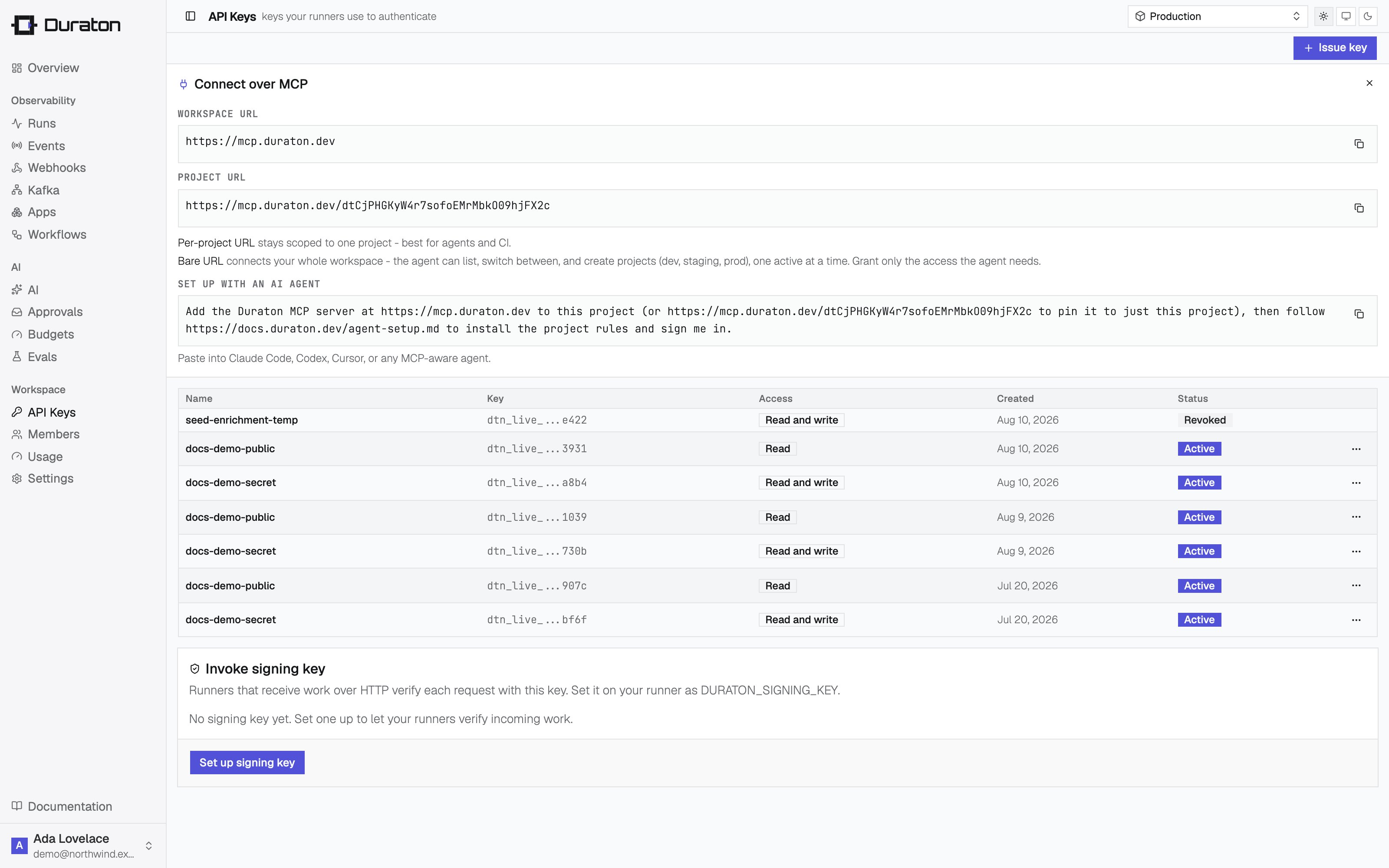
Keys are scoped to a project. In the console, open **API Keys** and issue a **secret** key. A secret
key is read + write - your runner connects and reports results with it. It's shown once, so copy it
now.
 Set it in your runner's environment:
```sh theme={null}
export DURATON_API_KEY="dtn_live_..."
```
## 3. Write a workflow
Install the SDK. It runs on [Node.js](https://nodejs.org) and [Bun](https://bun.com):
```sh npm theme={null}
npm install @duraton/sdk@next
```
```sh pnpm theme={null}
pnpm add @duraton/sdk@next
```
```sh yarn theme={null}
yarn add @duraton/sdk@next
```
```sh bun theme={null}
bun add @duraton/sdk@next
```
A workflow is a function triggered by an event. Wrap each unit of work in a step so it runs once and
its result is remembered.
```ts title="runner.ts" theme={null}
import { workflow } from "@duraton/sdk";
interface TicketData {
ticketId: string;
}
const ticketCreated = workflow({
name: "ticket.created",
retry: { maxAttempts: 3 },
handler: async (ctx) => {
const { ticketId } = ctx.event.data;
const triage = await ctx.step.run("triage", () => ({
category: "billing",
priority: "high",
}));
await ctx.step.sleep("cool-off", "10s");
const refund = await ctx.step.run("refund", () => ({
refundId: `re_${ticketId}`,
}));
return { ticketId, triage, refund };
},
});
```
## 4. Connect a runner
`connect()` dials Duraton over an outbound WebSocket. There is no port to expose, no public URL, and
no separate registration - it works from a laptop, a container, or a box behind NAT. It reads
`DURATON_API_KEY` from the environment you set in step 2. `app` groups a runner's workflows under a
name the console and other runners see; skip it and it defaults to `"default"`.
```ts title="runner.ts" theme={null}
import { connect } from "@duraton/sdk";
connect({ app: "support-app", workflows: [ticketCreated] });
```
```sh Node.js theme={null}
npx tsx runner.ts
```
```sh Bun theme={null}
bun run runner.ts
```
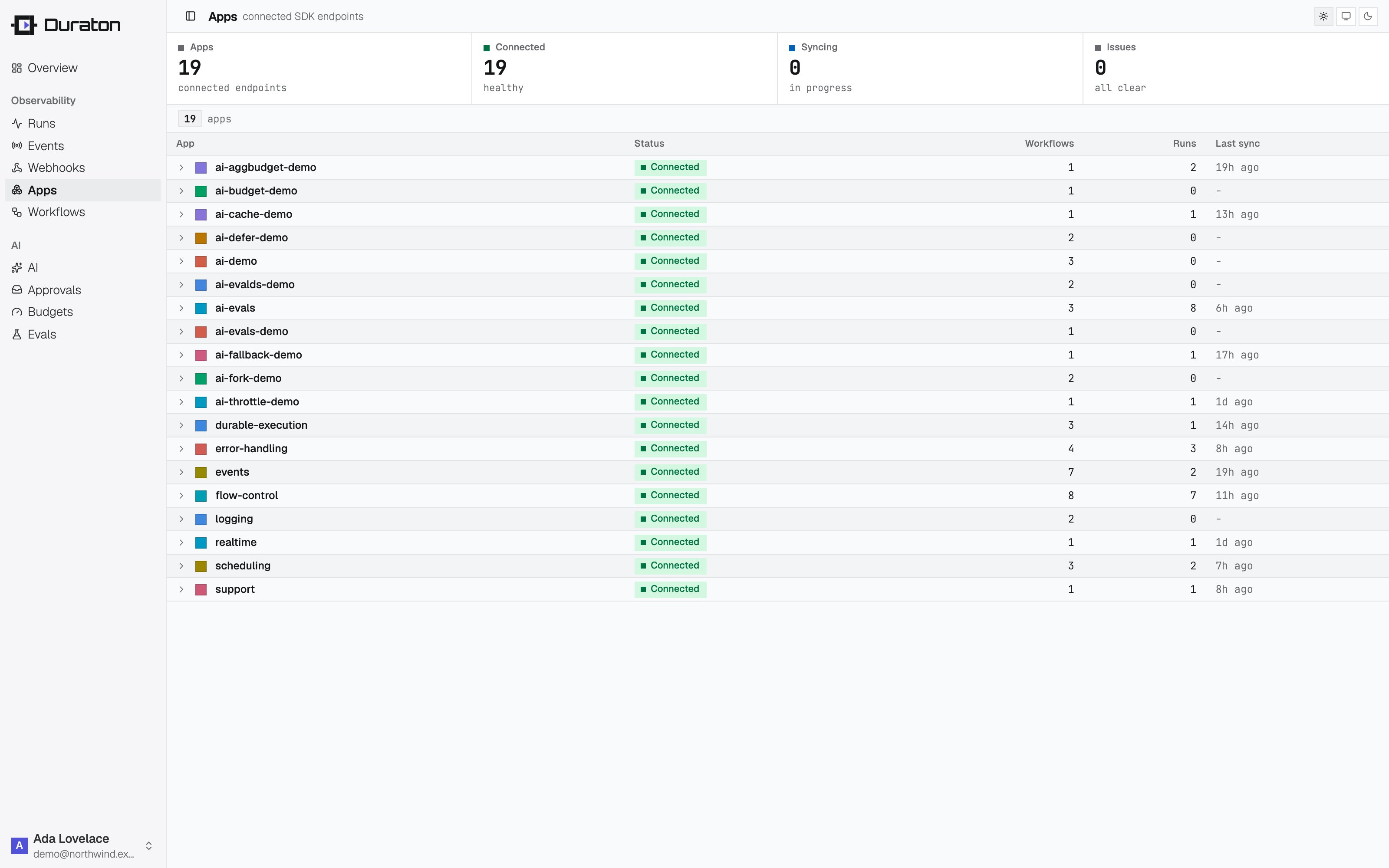
Open **Apps** in the console: the runner is listed as connected, with its workflows.
Set it in your runner's environment:
```sh theme={null}
export DURATON_API_KEY="dtn_live_..."
```
## 3. Write a workflow
Install the SDK. It runs on [Node.js](https://nodejs.org) and [Bun](https://bun.com):
```sh npm theme={null}
npm install @duraton/sdk@next
```
```sh pnpm theme={null}
pnpm add @duraton/sdk@next
```
```sh yarn theme={null}
yarn add @duraton/sdk@next
```
```sh bun theme={null}
bun add @duraton/sdk@next
```
A workflow is a function triggered by an event. Wrap each unit of work in a step so it runs once and
its result is remembered.
```ts title="runner.ts" theme={null}
import { workflow } from "@duraton/sdk";
interface TicketData {
ticketId: string;
}
const ticketCreated = workflow({
name: "ticket.created",
retry: { maxAttempts: 3 },
handler: async (ctx) => {
const { ticketId } = ctx.event.data;
const triage = await ctx.step.run("triage", () => ({
category: "billing",
priority: "high",
}));
await ctx.step.sleep("cool-off", "10s");
const refund = await ctx.step.run("refund", () => ({
refundId: `re_${ticketId}`,
}));
return { ticketId, triage, refund };
},
});
```
## 4. Connect a runner
`connect()` dials Duraton over an outbound WebSocket. There is no port to expose, no public URL, and
no separate registration - it works from a laptop, a container, or a box behind NAT. It reads
`DURATON_API_KEY` from the environment you set in step 2. `app` groups a runner's workflows under a
name the console and other runners see; skip it and it defaults to `"default"`.
```ts title="runner.ts" theme={null}
import { connect } from "@duraton/sdk";
connect({ app: "support-app", workflows: [ticketCreated] });
```
```sh Node.js theme={null}
npx tsx runner.ts
```
```sh Bun theme={null}
bun run runner.ts
```
Open **Apps** in the console: the runner is listed as connected, with its workflows.
 ## 5. Trigger it
Send the event the workflow listens for - with the SDK client, or over the
[REST API](/reference/api/events) authenticated with your key:
```ts theme={null}
import { createClient } from "@duraton/sdk";
const duraton = createClient({
url: process.env.DURATON_URL!,
apiKey: process.env.DURATON_API_KEY,
});
await duraton.events.send({
name: "ticket.created",
app: "support-app",
data: { ticketId: "T-421" },
});
```
```sh theme={null}
curl -X POST "$DURATON_URL/events" \
-H "Authorization: Bearer $DURATON_API_KEY" \
-d '{"name":"ticket.created","app":"support-app","data":{"ticketId":"T-421"}}'
```
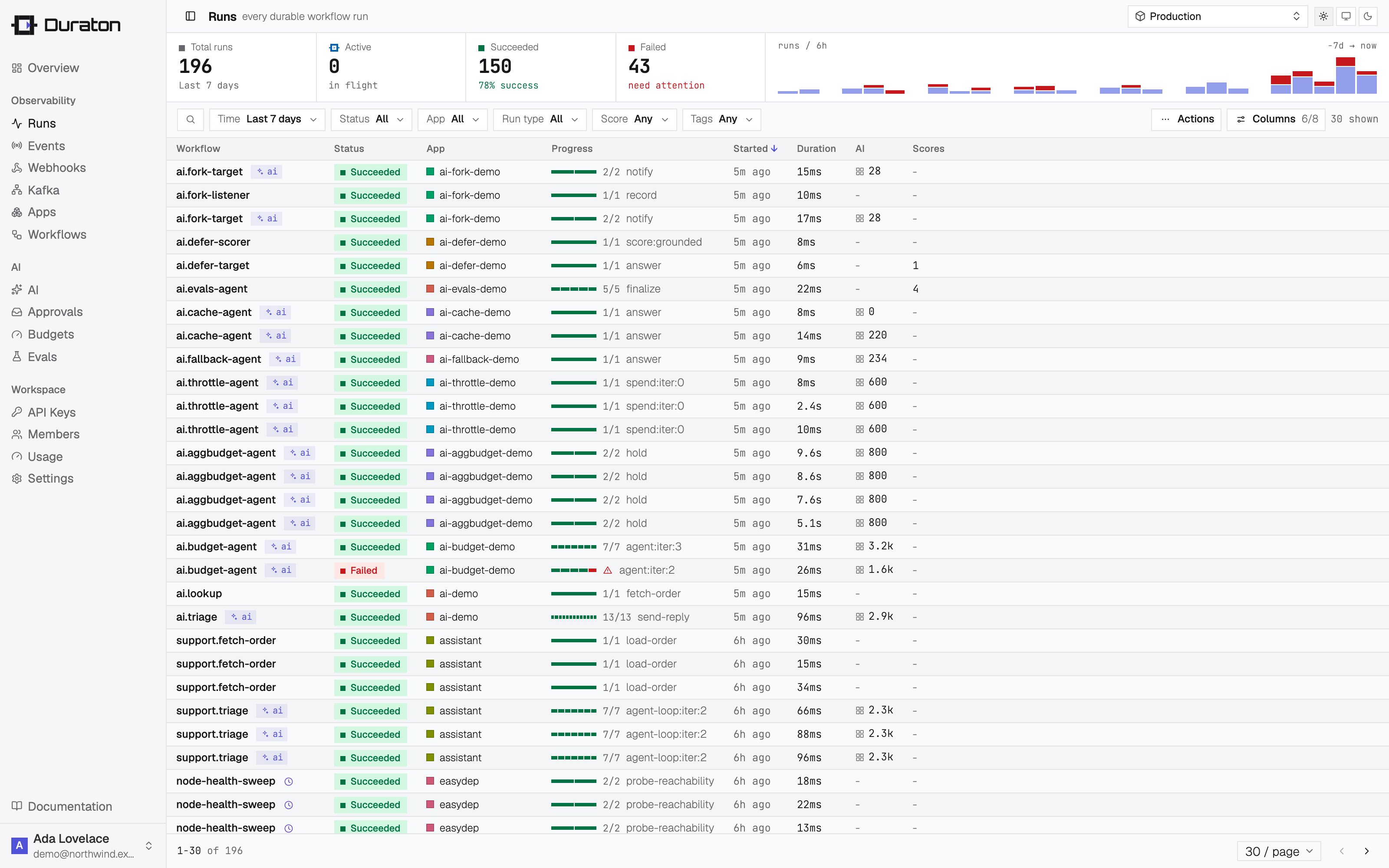
Open **Runs** in the console. `triage` completes, the run waits out the sleep, then `refund` completes
and the run succeeds - streaming in live as it executes.
## 5. Trigger it
Send the event the workflow listens for - with the SDK client, or over the
[REST API](/reference/api/events) authenticated with your key:
```ts theme={null}
import { createClient } from "@duraton/sdk";
const duraton = createClient({
url: process.env.DURATON_URL!,
apiKey: process.env.DURATON_API_KEY,
});
await duraton.events.send({
name: "ticket.created",
app: "support-app",
data: { ticketId: "T-421" },
});
```
```sh theme={null}
curl -X POST "$DURATON_URL/events" \
-H "Authorization: Bearer $DURATON_API_KEY" \
-d '{"name":"ticket.created","app":"support-app","data":{"ticketId":"T-421"}}'
```
Open **Runs** in the console. `triage` completes, the run waits out the sleep, then `refund` completes
and the run succeeds - streaming in live as it executes.
 ## 6. Restart the runner mid-run
While the run is sleeping, stop your runner (Ctrl-C) and start it again the same way you ran it above.
Duraton holds the run and re-invokes when the runner reconnects. `triage` does **not** run a second
time - its result was recorded on the first pass, so the run resumes at `refund`.
## Next steps
Runnable snippets for retries, cron, approvals, replay, and AI.
step.run, step.sleep, and what to wrap.
Control how failed steps retry.
Make a model call a durable step.
## 6. Restart the runner mid-run
While the run is sleeping, stop your runner (Ctrl-C) and start it again the same way you ran it above.
Duraton holds the run and re-invokes when the runner reconnects. `triage` does **not** run a second
time - its result was recorded on the first pass, so the run resumes at `refund`.
## Next steps
Runnable snippets for retries, cron, approvals, replay, and AI.
step.run, step.sleep, and what to wrap.
Control how failed steps retry.
Make a model call a durable step.